


meShare
2.42.03K Reviews
App Specs
- Version
- 6.0.3.54
- Updated On
- License
- Free
- Downloads
- 100,000+
- Developer
- meShare Support
- Categories
- Lifestyle
- Platform
- Android
Screenshots

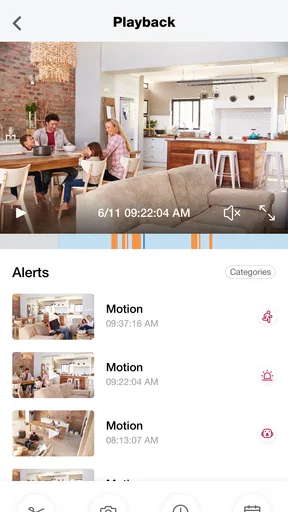
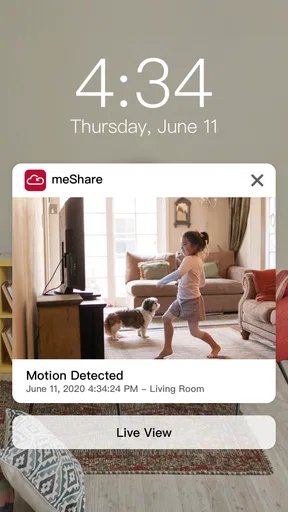
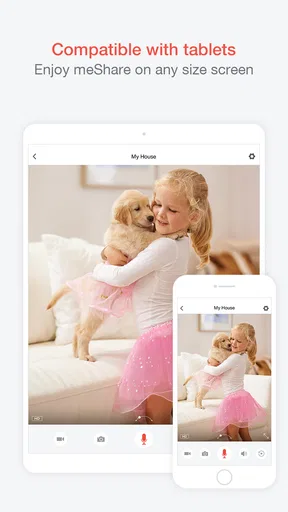
 Analysis by AppCompare
I judge a home-control app less by the novelty of opening a live view once than by whether it still earns attention after the first week. meShare is a free lifestyle app from meShare Support for people using compatible smart-home products, and its appeal is clearest when checking in remotely is already part of their routine. It has an average rating of 3.1 from around four thousand ratings, so I would approach it as a practical companion to specific devices, not as a guaranteed upgrade for every household.
What feels useful in the first week
The initial attraction is easy to understand: instead of treating a connected device as a separate thing to manage, the app gives you a place to interact with it through meShare’s cloud services. That can make the first few days feel reassuring, especially if you have a camera or another supported product in a room you want to keep an eye on. The experience is most convincing when the device is already set up and the app gives you a straightforward route to the task you opened it for.
For a realistic example, imagine leaving home and remembering that a delivery is expected. A quick check from your phone can be more useful than wondering about it until you return. The value is not that the app removes every uncertainty; it is that a remote check may settle a small, recurring question without requiring you to be in the room. I would try that sort of ordinary task early, rather than judging the app by how impressive the setup feels.
Why the routine matters more than the novelty
Remote access can be genuinely handy, but it only becomes a lasting reason to keep an app installed if it fits naturally into how you manage your home. I would focus on one or two repeatable jobs—checking a device before bed, for example, or looking in when a household member is away—and see whether the app makes them easier. If you find yourself opening it only to explore menus, the novelty may wear off quickly.
That is also where meShare’s role needs to be clear. It is not a general-purpose home organizer; it is a control point for products connected with its cloud services. If your household uses compatible equipment and you want to check or manage it remotely, that focus may be a benefit. If you are looking for one app to bring together a wide mix of unrelated brands, a broader smart-home platform may suit you better.
Practical trade-offs before you commit
Before relying on remote access for anything important, I would test the complete path in ordinary conditions: open the app away from home, reach the device you care about, and confirm that the result is clear enough to act on. A successful setup at home does not automatically tell you how useful a remote check will feel in your daily routine. Testing the task you actually need is a better guide than assuming every connected product will behave the same way.
I would also decide who genuinely needs access. If more than one person in the household will use the system, agree on who is responsible for checking it and when. Shared access can be convenient, but it can also create needless notifications or confusion if everyone assumes someone else is monitoring things. A small household routine—such as one person handling routine checks and others opening the app when needed—can keep the technology from becoming another source of background noise.
Worth Reading Before You Choose

EA SPORTS FC Mobile 26 Is a Bigger Football Game, but It Takes Time

Flipboard Shows What News Apps Must Do Beyond the Feed

Switching to Android Auto Means Rethinking Your Driving Routine

Google Calendar Makes a Crowded Week Easier to Manage

Ludo King Makes the Most of the Minutes Between Plans

Baby Panda World Brings Quick Play to Modern Phones, but Its Game Library Feels Busy
Is this the right kind of smart-home app?
Compared with managing a device through a basic local control screen, a cloud-connected app is more useful when you want to reach it while away from home. Compared with a broad platform designed to coordinate products from many makers, a product-focused companion can be simpler when your equipment belongs to its ecosystem, but less appealing when your home is a patchwork of brands. I would choose based on the devices you already own and the specific actions you need, not on the promise of a single app solving every smart-home problem.
There is a sensible reason to skip it, too: if you rarely need remote access, or if you prefer not to depend on a cloud service for routine control, installing another app may not improve your day. The free download lowers the barrier to trying it, but optional in-app purchases range from under a dollar to nearly four hundred dollars per item. I would check what any purchase covers and whether it answers a real need before spending; the existence of paid items is not, by itself, a reason to assume you need them.
Living with meShare over time
I find that the lasting value of a home-control app comes from whether it supports a small, repeatable habit rather than demanding constant attention. With meShare, I would periodically check that the devices and household members I rely on still match my needs, then keep only the routines that genuinely save time or offer reassurance. That practical review makes it easier to spot when maintenance is becoming more trouble than the remote access is worth.
Easy Setup and User-Friendly Interface
Alright, first things first. No one wants to wrestle with an app for hours just to get it up and running, right? Thankfully, meShare is quite the opposite. The setup process is as smooth as butter. Just download the app, follow the on-screen instructions, and you're good to go. I had my devices connected in no time, and trust me, I'm no tech wizard.
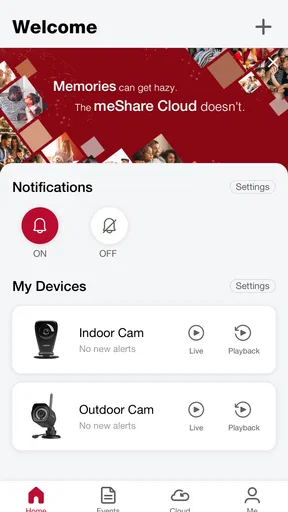
The interface is another big win here. It's intuitive and clean, making navigation a breeze. Whether you're checking your camera feed or adjusting your settings, everything is just a tap away. The design is straightforward, which means no more hunting around for hidden features or dealing with cluttered menus.
Stay Connected Anytime, Anywhere
One of the standout features of meShare is its remote access. Whether you're at work, on vacation, or just hanging out at a coffee shop, you can easily check in on your home. The real-time video streaming is quite impressive, with minimal lag and a clear view of what's happening back home. It's like having an extra set of eyes wherever you go.
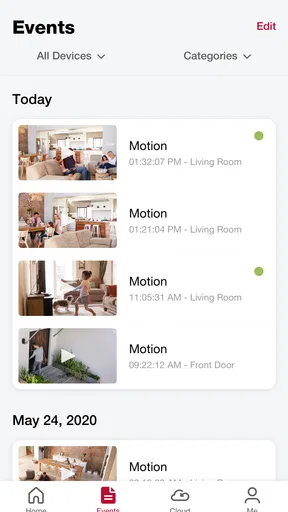
And let's talk about notifications. The app sends instant alerts for any motion detected, so you’re always in the loop. It's super handy for those of us who want to ensure everything's alright without constantly staring at our screens. Plus, you can customize these alerts to suit your needs, which is a nice touch.
Smart Features for Enhanced Security
What really sets meShare apart is its array of smart features. The motion detection is quite accurate, reducing the number of false alarms you might get with other apps. And if you're someone who likes to keep records, the app offers cloud storage options. You can save and review footage whenever needed, without clogging up your device's memory.
Another feature that deserves a shoutout is the two-way audio. It’s not just about watching; you can also communicate through your devices. Whether you're giving instructions to a pet sitter or scaring off a potential intruder, this feature is a game-changer.
Seamless Integration with Other Devices
If your home is already equipped with smart gadgets, you'll be pleased to know that meShare plays well with others. The app integrates seamlessly with devices like Amazon Alexa and Google Assistant. This means you can control your cameras with voice commands, which is both convenient and kind of cool.
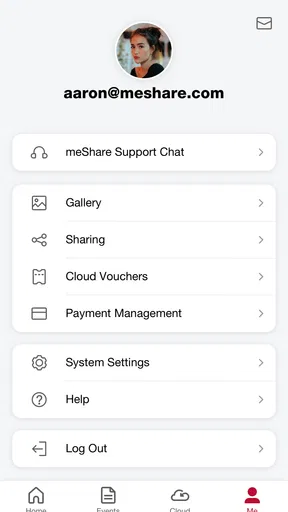
Additionally, the app supports multiple cameras and users. So, whether you're living solo or with family, everyone can have access and peace of mind. The shared access feature is great for families who want to stay connected and secure together.
Maintenance, fatigue, and the long view
The ongoing effort with a connected-home app is rarely the initial download; it is keeping the setup useful. I would periodically review which devices and people still need access, and whether alerts are helping or interrupting more than they help. If motion notices become background noise, adjust them rather than letting every alert train you to ignore the app. The point is to preserve attention for the events that matter to your household.
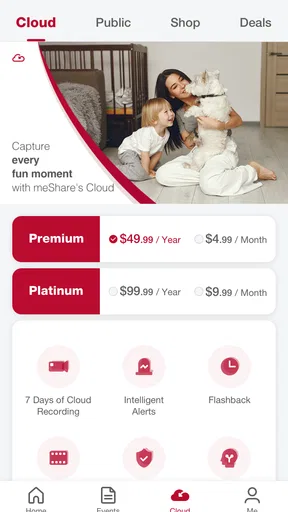
Cloud recording can also change the way you think about upkeep. It may spare your phone from holding footage, but it makes it worth checking that the storage option you choose fits how long you expect to keep recordings and how often you will review them. I would treat saved clips as a practical record, not as a substitute for checking that the camera is positioned well and that the device is online when needed.
For cameras used around pets, visitors, or deliveries, a useful habit is to test two-way audio before relying on it for a conversation. A feature that looks appealing on a setup screen is only helpful if it works comfortably in the room and at the distance you expect. Similarly, test alerts while you are home and can tell what triggered them; that helps you decide whether the notification settings are informative enough for your actual environment.
Who will keep it installed?
I can see this app earning a permanent place for someone who already owns compatible meShare-connected products and has a regular reason to check or control them remotely. The strongest case is a household where a quick camera check or a shared view is useful often enough to become routine. Someone who wants a straightforward companion for that equipment may value a focused tool more than a sprawling smart-home dashboard.
I would be more cautious if you have not chosen your devices yet, expect a single app to control a mixed collection of brands, or do not want your home routine tied to cloud access. In those cases, compare the control options for the products you plan to buy before building a setup around one companion app. The app is rated for Everyone, and it supports Android devices running version 5.0 or later; its current version is 6.0.3.47023. It has passed one hundred thousand installs, though those figures alone do not tell you whether it will fit your particular devices or habits.
Some Final Thoughts
So, is meShare worth it? In my opinion, absolutely. It's a solid app that offers a lot of value for anyone looking to enhance their home security. The ease of use, combined with its robust features, makes it a top contender in the smart home app space.
Whether you're tech-savvy or just dipping your toes into the world of smart home devices, meShare is a reliable choice that won't disappoint. So, go ahead, give it a whirl, and see for yourself. Your home security game might just reach a whole new level.
My more measured long-term view is that its value depends on whether it continues to answer a specific need after the first burst of curiosity. If remote checks, shared access, and device control become part of your normal week, keeping it makes sense. If you stop opening it, simplify your setup or reconsider whether the connected features are worth maintaining. That is a more useful test than expecting any home app to feel exciting forever.
Pros
- User-friendly interface and navigation.
- Real-time video streaming feature.
- Customizable alert notifications.
- Supports multiple device connections.
- Cloud storage options available.
Cons
- Occasional app crashes reported.
- Limited integration with smart home systems.
- Subscription required for advanced features.
- Video quality varies with network speed.
- No offline viewing mode available.
FAQs for meShare
What is meShare and what does it do?
meShare is a versatile app designed to enhance home security and automation. It allows users to connect and control various smart devices, such as cameras and sensors, from their smartphones. The app provides real-time video streaming, motion detection alerts, and cloud storage for video footage, making home monitoring convenient and reliable.
Is meShare compatible with all smart devices?
meShare is compatible with a wide range of smart home devices, including popular brands of cameras and sensors. However, it is essential to check the compatibility list on the meShare website or within the app to ensure that your specific devices are supported before downloading the app.
Do I need a subscription to use meShare?
While the basic features of meShare are available for free, such as live video streaming and alerts, access to advanced features like extended cloud storage and video history may require a subscription. Users can choose from different plans based on their needs, enhancing the app's functionality.
How secure is my data on meShare?
meShare prioritizes user privacy and data security. The app employs encryption protocols to protect your data during transmission and storage. Additionally, users have control over their privacy settings, allowing them to manage who can access their video feeds and stored footage. Regular updates help maintain robust security measures.
Can I share access to my meShare account with others?
Yes, meShare allows users to share access with family members or trusted individuals. Through the app, you can invite others to view live feeds or recorded videos. The app provides options to limit access permissions, ensuring that you maintain control over who can see your devices and data.


